

How Do I Share the Mental Load With My Partner So I'm Not the Only One Who Remembers?
Put the plan somewhere you both look, and let reminders do the reminding instead of you. A shared family calendar with to-dos and lists next to the events, like Snug Planner, moves the remembering out of your head so your partner can see what is coming without asking.
Picture a Saturday morning
It is 08:40. Two bags to pack, and one swimming kit still damp from last week. Your partner calls from the hallway: "What time is swimming again?"
You answer from memory. Then it hits you. Sam's birthday party is at 11:00, and the present is still in a shop somewhere.
He would have bought it happily. He just did not know about it.
This Saturday is made up. If you run a family, you probably know one like it.
Why am I still the one who remembers everything?
Because the plan lives in your head. In your house the doing is shared. He cooks, he does pickups, and he means it when he says "just tell me what to do".
The remembering is not shared. "Just tell me what to do" is real help, but you still do the thinking. You notice the dress-up day, you work out who drives, and you send the message. You are the household's air-traffic controller, and nobody gave you the job.
You are not failing. The setup is.
Where does the plan live today?
Count the places:
A calendar with work and some appointments. Half the household never makes it in.
A WhatsApp thread where "can you grab milk" and "dentist moved to Thursday" scroll away.
The fridge, with a school newsletter nobody reads twice.
Two school apps, muted because they never stop.
Your memory, holding all of it together.
Five places, and none of them talk to each other. The only thing connecting them is you.
What actually moves the load off me?
Two things.
One place you both look. When he can see the week himself, he stops asking you.
Reminders that reach him on their own. When the reminder goes to him, you stop being the reminder.
Here is Snug Planner in one breath. A cozy all-in-one planner. Calendar, tasks, projects, notes, lists and files live in one app. Snug is a personal planner first, and you can share it with your household whenever you want.
How do I share one appointment with my partner?
Take Saturday's swimming.
Open the calendar and click Saturday at 09:30.
Type "Swimming, Arya" and set it to repeat every week.
Under Assignees, add yourself, your partner and Arya.
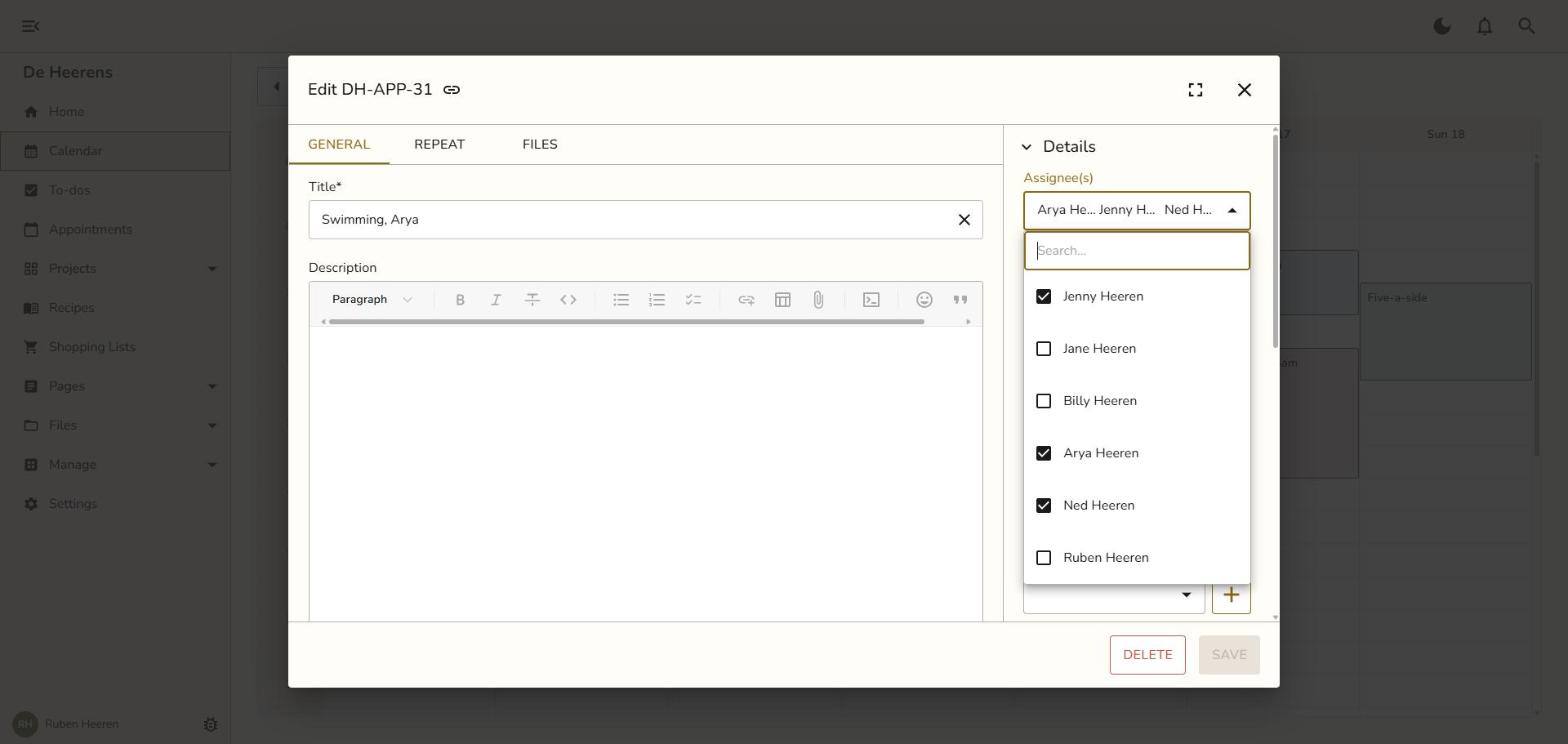
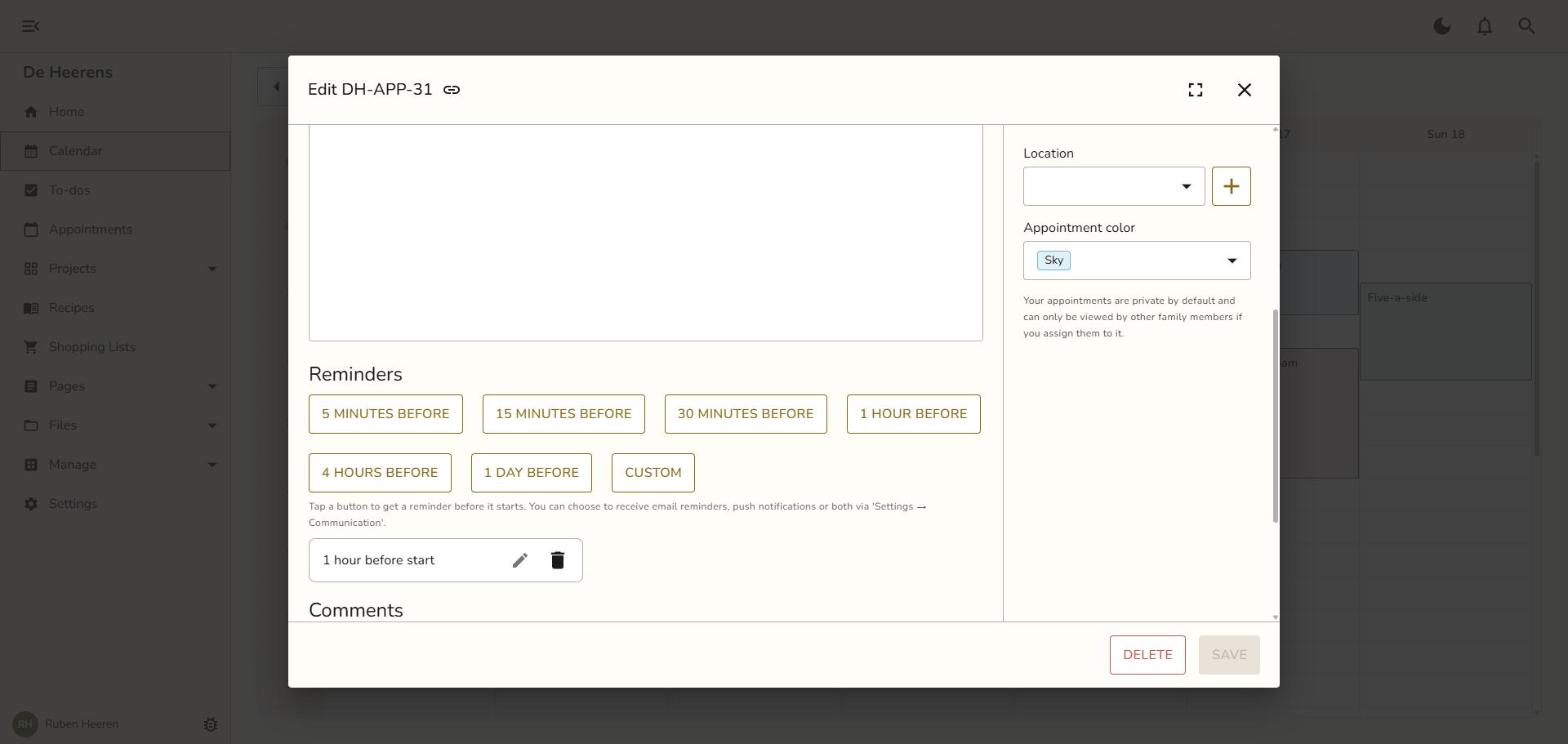
Add a reminder 1 hour before.
Save.
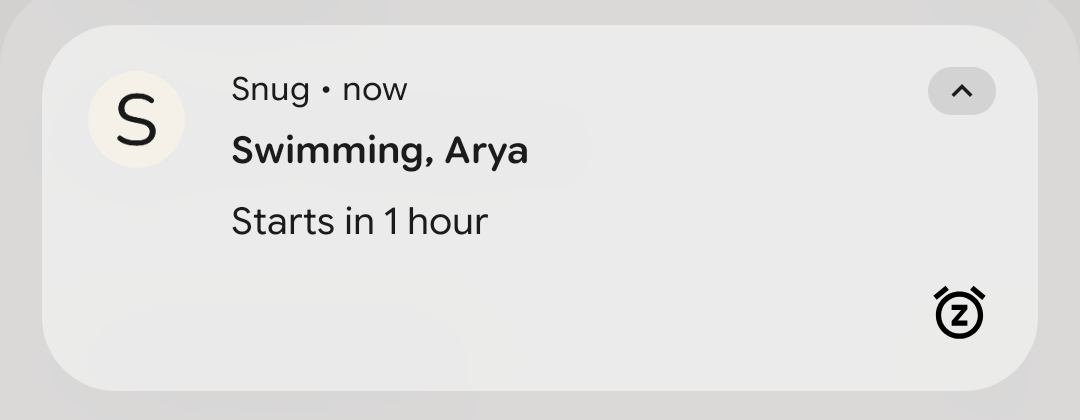
Swimming now shows in his calendar too. An hour before, every assignee gets the reminder, as a push notification on their phone or as an email. "Swimming, Arya, starts in 1 hour" pops up on his own phone. You never send the WhatsApp.
A to-do works the same way. Put "Buy and wrap a present for Sam" on Friday, with only him under Assignees. It lands on his list, with a reminder if you add one. Nothing slips, because the reminder goes to the person doing the job.
What about the shopping list?
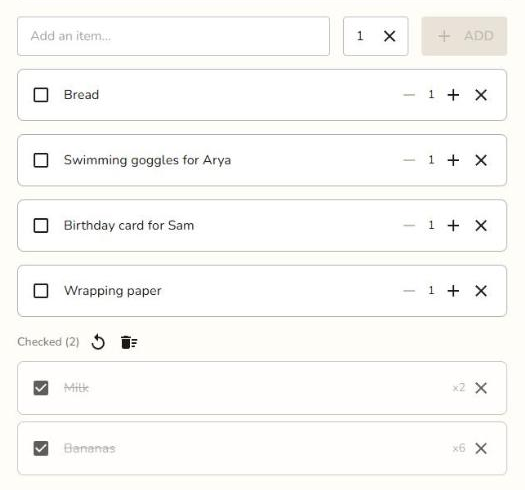
The shopping list is the fridge note that comes along to the shop. The whole family sees it. You add wrapping paper from work, and it shows up on his phone right away. He ticks off bananas and milk in the store, and you see them go.
No more "can you grab milk" lost between photos of the kids.
How do I get my partner to actually use it?
Make his first look worth it. Fill in this week before you invite him, so he opens the app and sees his week right away.
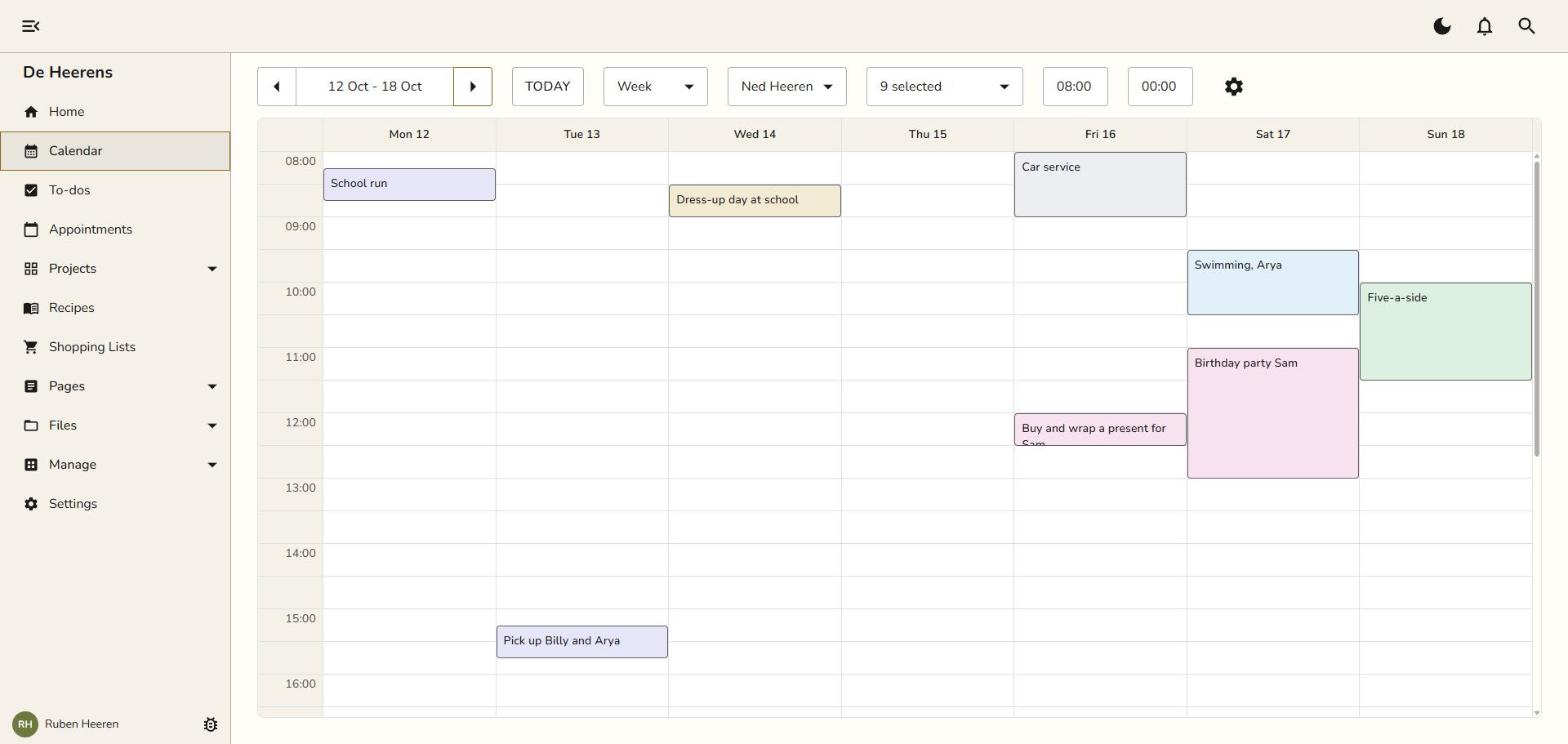
Then add him in one of two ways. Open Manage, go to the Family, and add a family member.
Send an invite. He gets an email and sets up his own account.
Create his account for him with a name, an email and a password.
There is nothing for him to build or configure. And even if he only ever reads it, the reminders still reach him.
Is this one more thing I have to keep updated?
The upkeep gets shared too. He adds his own five-a-side and the car service. The reminders do the chasing. And you start with one week, not the whole year.
If he only reads it and never adds a thing, you have still stopped being the human reminder. That alone is worth it.
Can I keep some things just for me?
Yes. In Snug, an appointment or a to-do shows only to the person who made it and the people added to it in the Assignees field. A private project shows only to the members added to it.
So the surprise party for his birthday stays yours. So do your own work deadlines.
That leaves one habit to learn: add the family to family things. A swimming lesson only you can see is a swimming lesson still living in your head.
Which family calendar apps are worth a look?
| Option | Price | What it does well | Where it falls short for sharing the load |
|---|---|---|---|
| Snug Planner | 3 months free, then $4.99 a month or $44.99 a year for the whole family | Calendar, to-dos, lists, notes and files in one app. Reminders reach everyone on the item. | No free version after the first 3 months. |
| Cozi | Free plan with ads. Cozi Gold $39 a year, Cozi Max $79 a year. | A shared family calendar and lists, built for families, with a free plan. | The free plan shows ads. Built around the family, so your own life has less room. |
| Google Calendar | Free | Everyone already has it. | Weak at shared to-dos and anything that is not an event. Snug syncs with it. |
| A WhatsApp thread | Free | Where household planning really happens today. | Messages scroll away, and nobody sees the week at a glance. |
| A paper planner on the fridge | A few dollars | Everyone in the kitchen sees it. | It stays at home when you are at the school gate. |
If Cozi's free plan works for your family and the ads don't bother you, keep it. Cozi Gold also costs a little less than Snug Plus per year. Snug is for the family that wants everything in one calm place, with no ads and no tracking, and room for your own life next to the family's.
Planning across two homes instead of one? Read Shared Calendar for Co-Parents: How Two Households Stay in Sync.
What does it cost?
Every new family gets 3 months free with every feature, and no credit card. Billing is per family, so one subscription covers you, your partner and the kids, with unlimited family members, projects and reminders.
After that, Snug Plus is $4.99 a month or $44.99 a year. The pricing page has the details.
There are no ads and no tracking. Your data is hosted in the EU, at Hetzner in Germany. If you cancel, everything you entered stays readable.
Snug works in any browser, with apps for iPhone and Android, and changes sync in real time. It also syncs with Google Calendar.
Where do I start tonight?
With one week. Add this week's school runs, clubs and the shopping list. Put your partner on the things he does. Then let the first reminder go to him.
Curious why Snug feels more like a home than an office tool? Read Why I built Snug.
Photo by Anthony Tran on Unsplash