

Claude and Snug Planner
Did you know you can connect Claude to Snug Planner and you can run your whole household/life by just directing Claude in plain language.
Claude does the clicking, typing, and organizing for you.
Let’s start with an overview of what that looks like, and later in this article I will show you a few concrete step by step examples.
An overview of the things Claude can do for you in Snug Planner
Plan your day and your projects
- Add and schedule to-dos, then check them off when they are done
- Add tasks to any project, set due dates, and mark them done
- Reorder tasks within a project’s board
- Create and manage whole projects, from “Home Renovation” to “Back to School”
- Break a big goal into a full plan. Say “plan a holiday to Italy” and Claude sets up the project, tasks, and reminders for flights, hotels, visas, and packing
Own your calendar
- Schedule appointments with start and end times, from school events to doctor visits
- Update or reschedule anything already on the calendar
- Set reminders so nothing slips through the cracks
Cook without the guesswork
- Browse and search your saved recipes
- Create new recipes from scratch
- Ask Claude to find the best recipe for something on the web and drop it straight into Snug
- Plan a full week of meals, then turn it into a shopping list automatically
Never forget the groceries
- Create shopping lists and add items to them
- Check items off as you shop and clear out what you no longer need
Keep your household in one place
- Manage your family members and personalize their avatars
- Build a shared contacts directory: pediatrician, plumber, school, babysitter, relatives, complete with phone, email, and birthday reminders
- Save reusable locations like “Grandma’s house” or the clinic, and link them to appointments and tasks
Organize your files and notes
- Browse, move, rename, and tidy up files and folders
- Create and edit pages for notes, plans, and anything you want to write down
- Check your storage usage at a glance
The best part
You do not have to learn any of this. You just talk. Claude figures out what you mean, takes the action, and keeps your whole household running. Try it and see how much of your week you can hand off.
Tutorial: How to have Claude make changes in your calendar
If you haven’t set up Snug and Claude yet to connect with each other, see this article:
https://snugplanner.com/docs/ai-integration/claude/
So when you have something scheduled in your calendar like so:
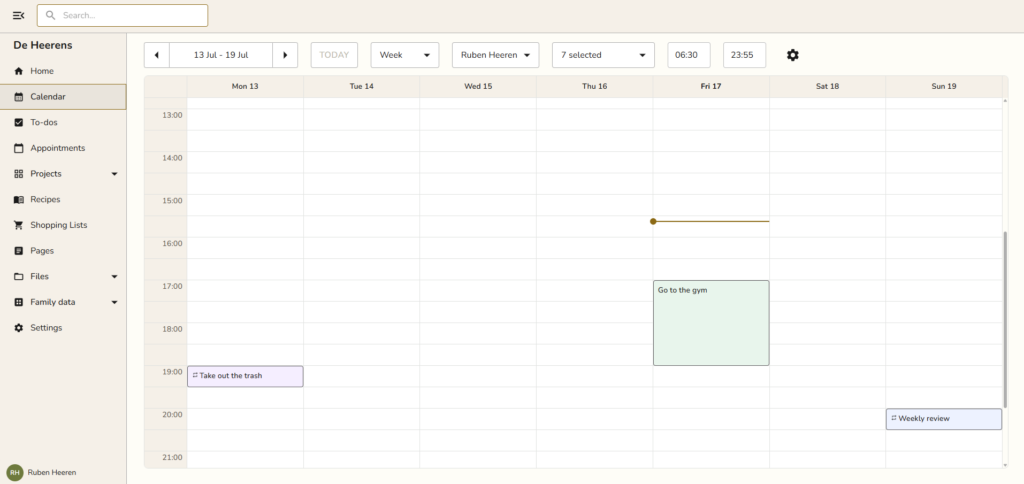
Open up your Claude, either Claude Code or Claude desktop chat and type something like this:
‘Make ‘go to the gym’ in snug today 1 hour later’
Then Claude will try to use a suited tool in the Snug MCP to do this for you.
I put (use test mcp) there but you don’t have to, you can just straight up do your prompt. I need to do it because I’m developing Snug so I have both production and test MCP.
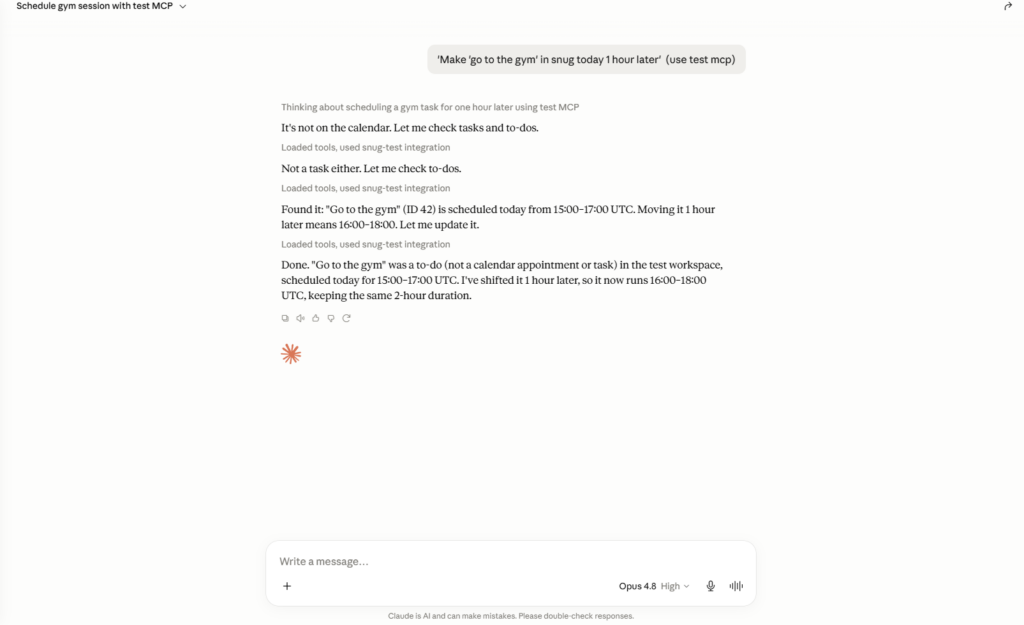
As simple as that. Now the thing is 1 hour later!
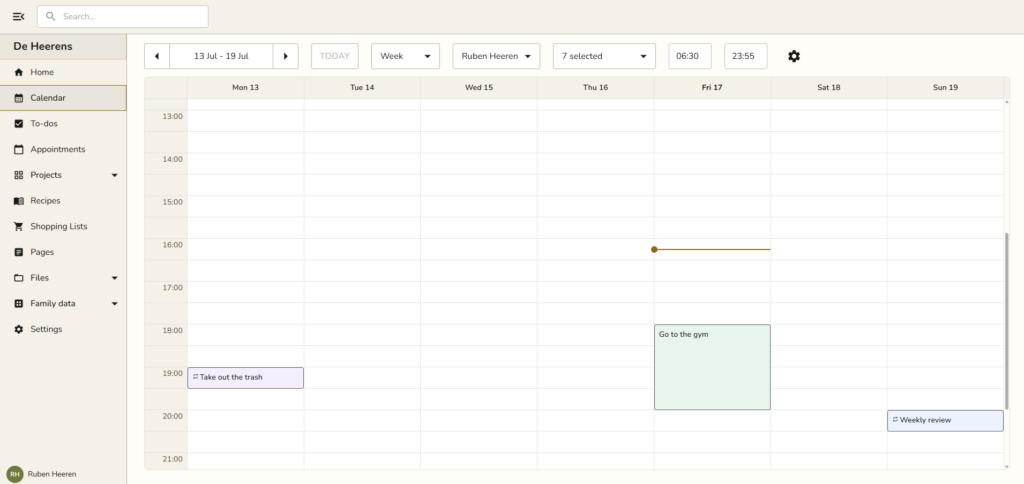
Everything that happens in the schedule, from any source, be it your AI assistant or a family member, gets instantly updated, no need to refresh the page or anything.
Tutorial: How to have Claude pull a recipe for green pasta from the internet and add it to Snug
It’s as simple as just asking Claude this:
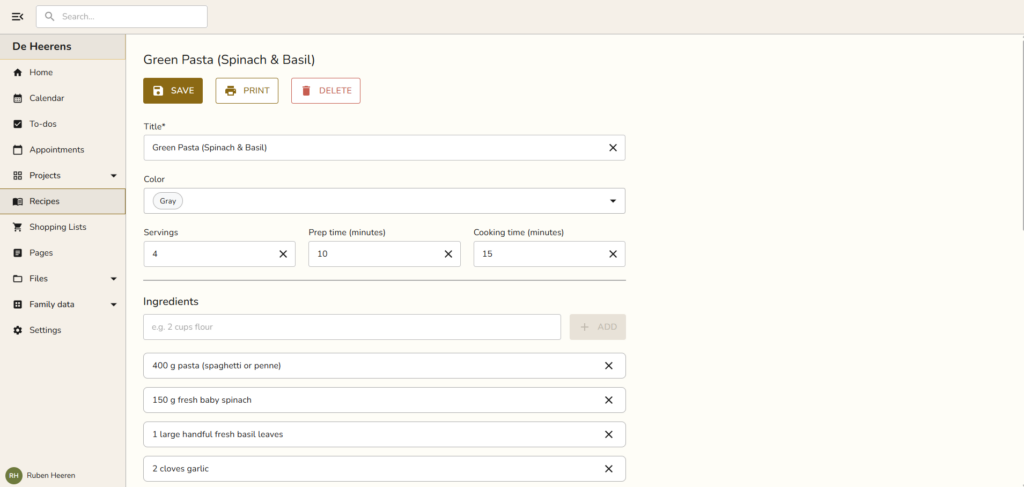
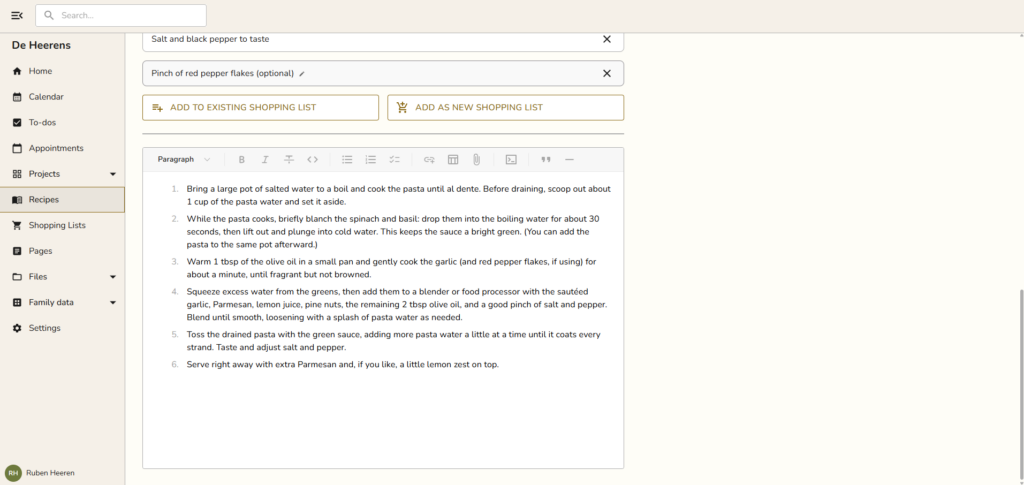
Can you pull a recipe for green pasta from the internet and add it to snug ?
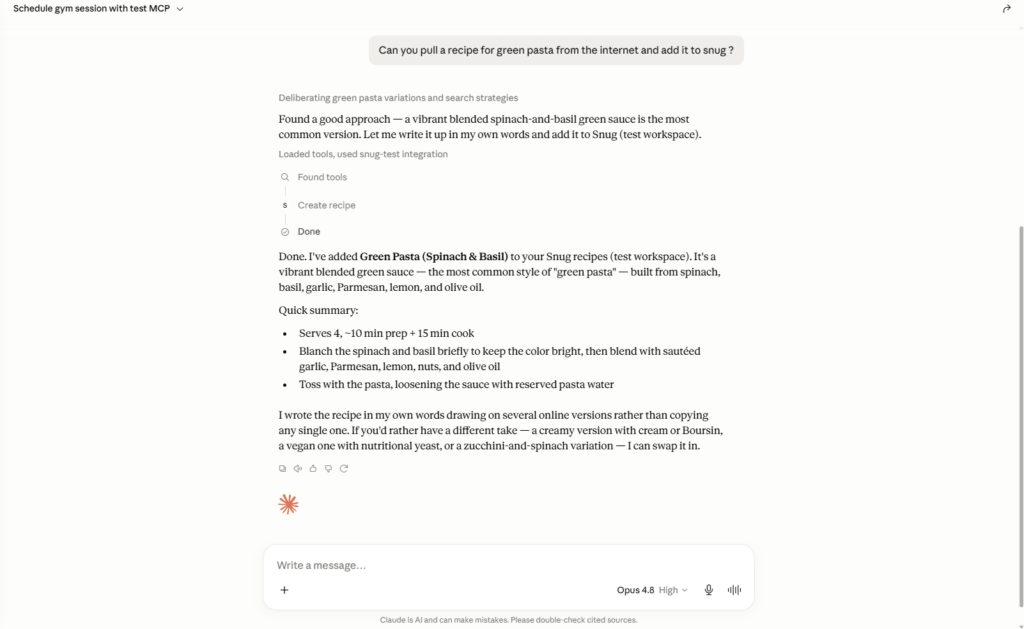
And it just created it in Snug with all the ingredients and a step-by-step plan!
Nice and simple, let AI do the grunt work 👍
That’s it for this article. Hope it was useful!
-Ruben