
Version 1.20
1.20 is a big update. Most of it makes the things you do every day smoother: adding, finding, dragging and reading. Snug now works offline, and it comes with a Free plan, more calendars and a few new names.
Works offline
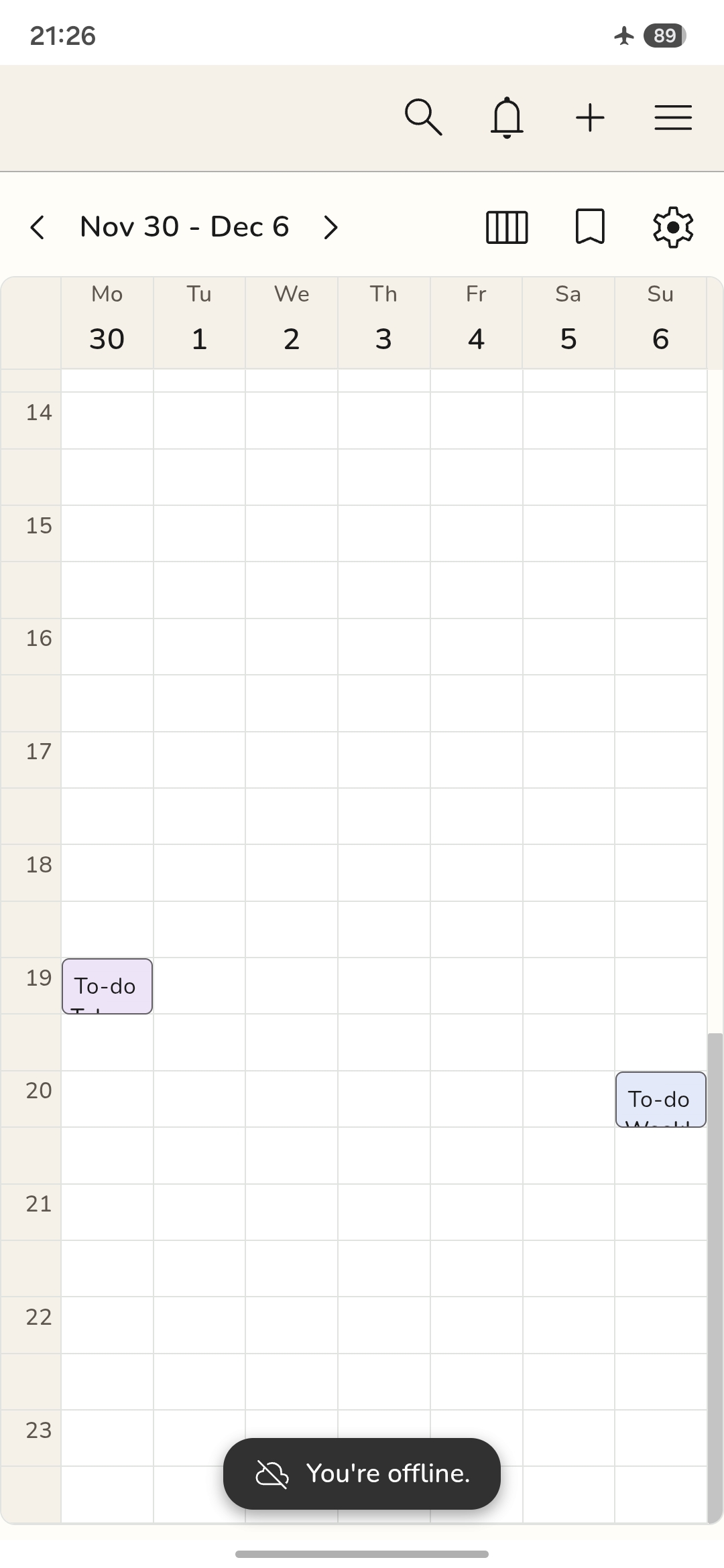
Your planner is kept on your phone and in your browser, so it opens and works without a connection.
Everything syncs when you are back. A banner tells you when you go offline and when you are back.
On phones, reminders ring on time, even without a connection.
If someone changed the same thing in the meantime, Snug tells you who changed what.
Smoother every day
Adding things
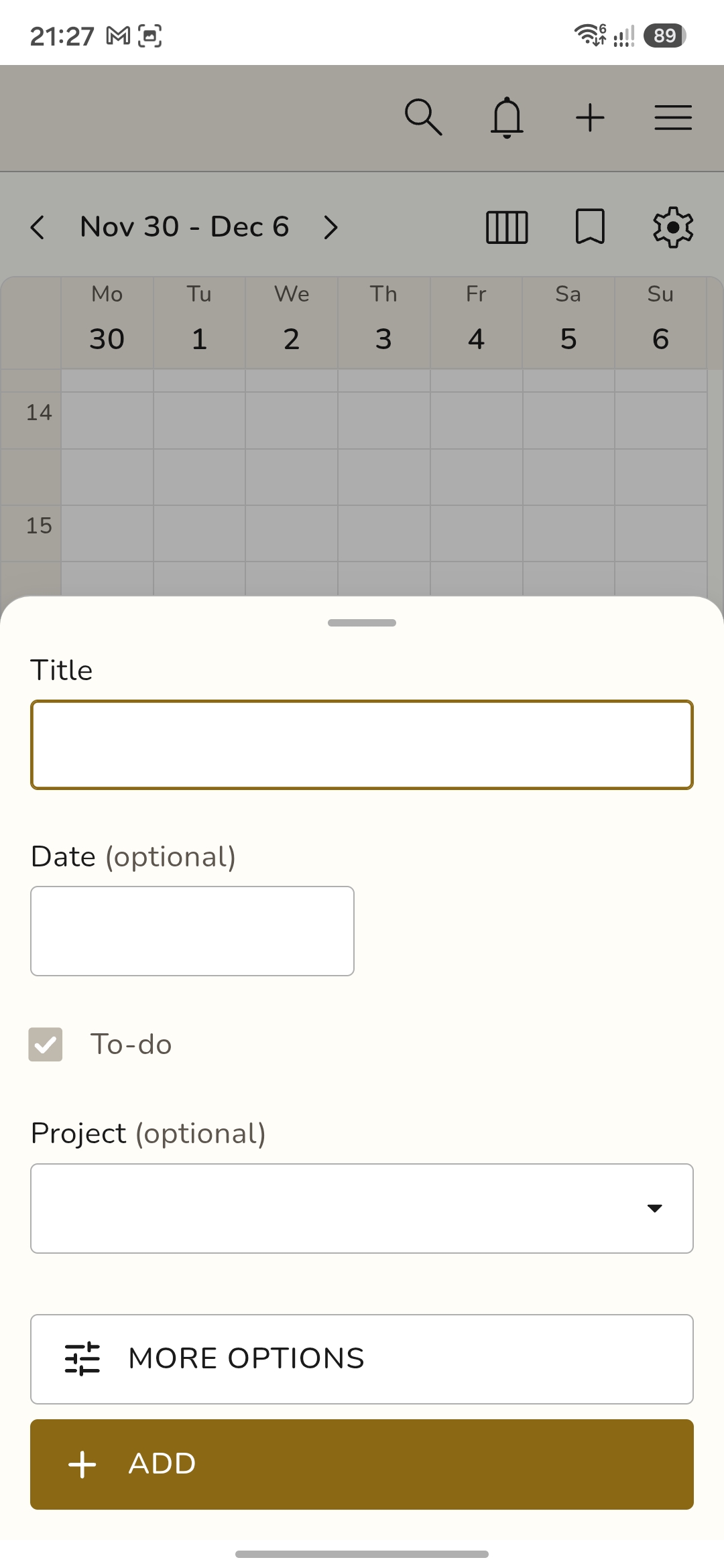
The + in the top bar adds an event, a to-do, a page or a list from anywhere.
On a phone it opens as a sheet from the bottom. "More options" keeps what you typed.
After you add something, Show takes you to it.
A new contact, place or label made with + is picked right away.
Calendar
The calendar is the first thing you see, with a new List view of what is coming up.
On a phone, the week fits all seven days and the month is compact. Tap a day to open it.
Back takes you to the view and date you came from.
Items snap to 15 minutes when you drag them. Times move in 5-minute steps when you pick them.
Your day starts and ends at the hours you set.
Dragging a repeating item tells you whether it moved this one or all of them.
To-dos and projects
To-dos, board cards and the List view share one card, with the date under the title. A past date shows in red.
Board columns show how many cards they hold.
Dragging cards on a phone works like the calendar.
A to-do can have a start, an end, both or no date at all.
Pages and files
On a project's Pages tab, a page opens on top of the project.
On a touch screen, tap a file to open it, hold it to select, and swipe to the next one.
One Add menu holds file upload, folder upload and new folder.
Uploads are steadier. A failed part retries, Android uploads keep going in the background, and switching planner asks first.
Settings and setup
A short setup and a guided tour help new people get going. You can run both again from Settings.
Hide Projects, Pages, Shopping lists or Files from your menu.
Set your default reminders and the hours of your day.
Snug asks for notifications when you save a reminder, not the moment you open the app.
Words and looks
Every text got one plain voice, in all six languages. Errors say what went wrong and what to do.
Forms tell you what is wrong right at the field.
Emails look cleaner, come in your language and say why you got them.
In a planner that is just yours, the "assigned to" fields stay out of the way.
One shared icon marks shared items. Private items show none.
The web app starts faster.
New
A Free plan. Your calendar, to-dos, reminders, 2 projects, 10 pages and 2 GB of storage. Try Plus free for 14 days whenever you like.
All-day events get their own row. Drag them and stretch them, also by touch. Events over several days show as one bar.
More calendars. Outlook, any calendar by its link, Apple Calendar on an iPhone, and the public holidays of your country.
Birthdays from your contacts show on the calendar every year.
A morning overview of your day, by push or by email, at a time you choose.
Bring your things along. Import an Obsidian vault or a Notion export into Pages, and contacts with their birthdays from your phone.
Files and Pages tabs in every project, for its members.
A recycle bin for pages. Deleted pages stay there for 30 days.
The AI connection can attach files and create all-day events.
New names and changes
A family is now a planner, an appointment an event, a task a to-do, and Trash the Recycle bin.
Recipes are pages now, under a Recipes page.
Home and pins are gone. Bookmarks and search cover the same ground.
New projects, shopping lists, contacts and places start private. Your existing ones stay shared.
Links are shorter. Old links still open.
The Max plan is retired. Max planners moved to Plus.
If a planner goes back to Free, everyone in it can still read it.
Fixes
Moving a repeating series no longer snaps back or brings back deleted days.
Google Calendar stays connected through Google outages, and a broken connection asks you to reconnect.
Google event descriptions keep their line breaks and formatting.
Large uploads on Android no longer freeze the app, and failed uploads no longer fill your storage.
Back after sign-in no longer loops, and a failed Sign in with Apple now says why.
Private pages and items stay private in search and in the AI connection.
Plus many smaller fixes in every corner of the app.