
Version 1.18
This release gives your reminders a lot more say, with any timing you like, repeats until the job is done, and buttons right on the notification. It also brings PDF and Markdown export for your pages and recipes, and a batch of fixes.
Reminders that keep at it
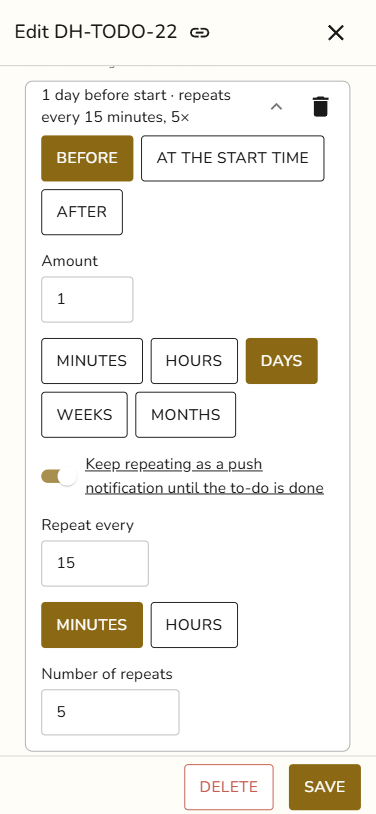
Set a reminder minutes, hours, days, weeks or months before, at, or after the start. Pick Custom for any timing you want.
A reminder on a task or to-do can now repeat. Choose how often and how many times, and Snug keeps nudging you until the to-do is done or the task has the status Done.
You can edit a reminder right where it sits. Snug also stops you from setting two reminders for the same moment.
Act straight from the notification
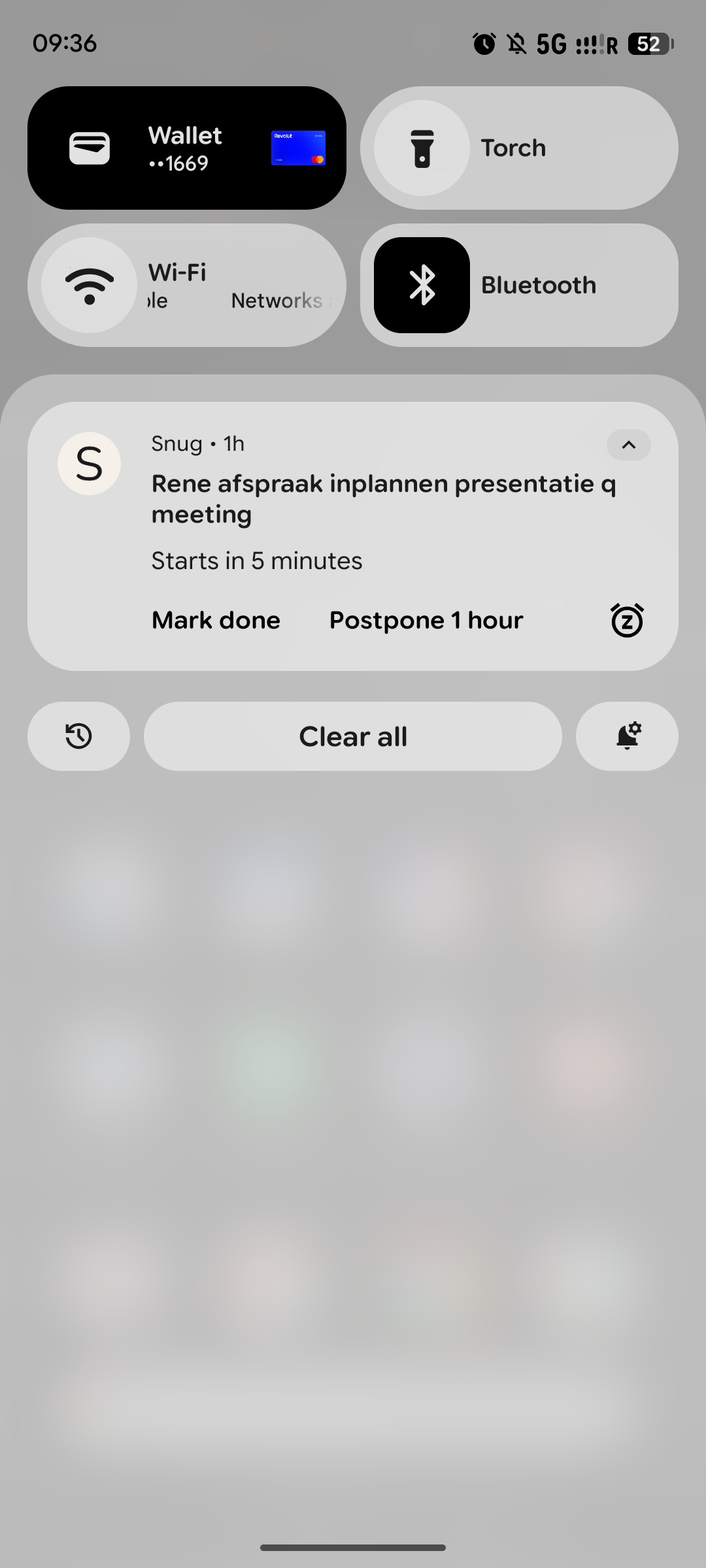
Reminder notifications now carry three buttons on iPhone and Android:
Mark done ticks the item off.
Postpone 1 hour brings the reminder back an hour later.
Stop reminding ends the repeats.
The buttons work even when the app is closed, and the notification goes away as soon as you tap one.
Take your pages and recipes with you
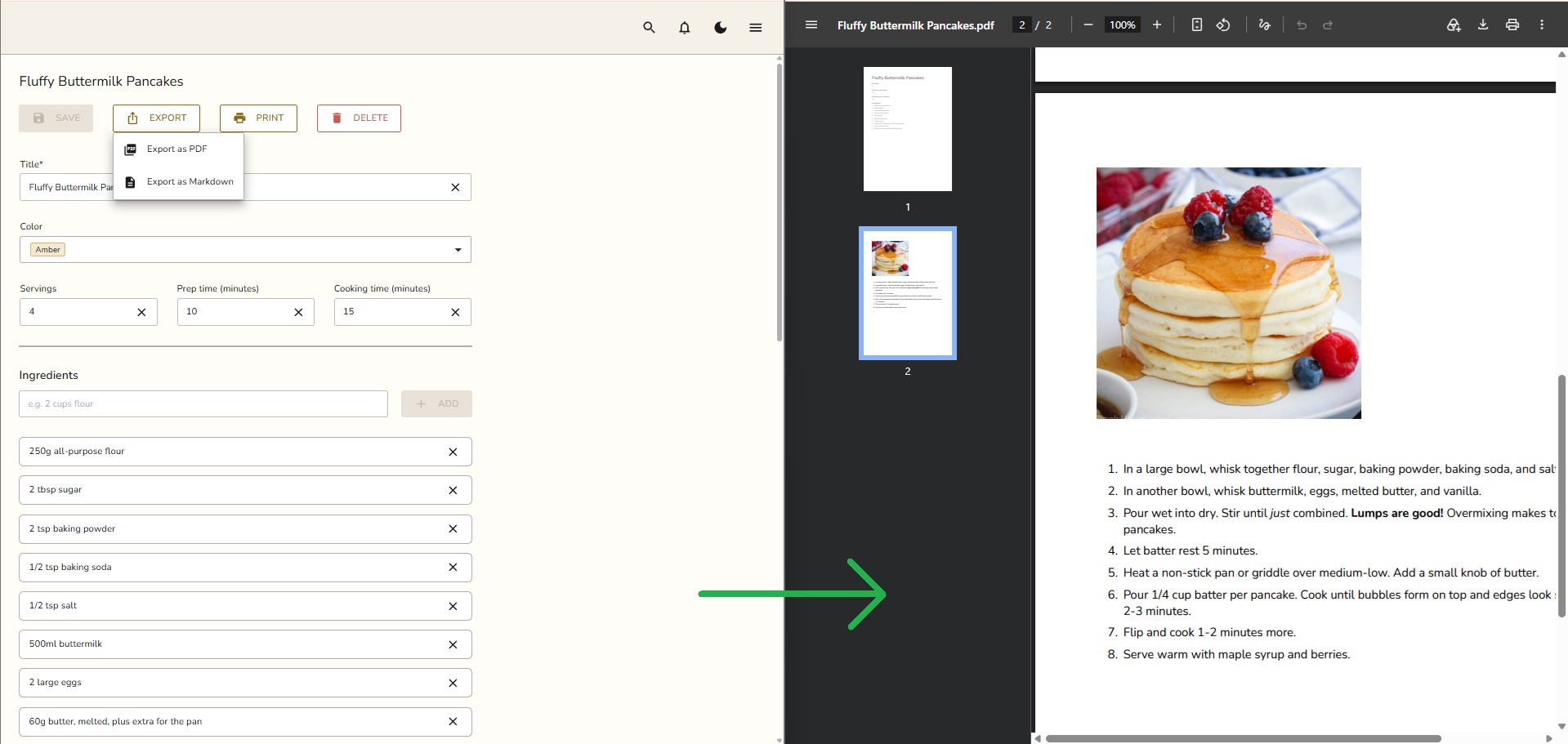
Pages now have Export as PDF, Export as Markdown and Print in their menu. Recipes get an Export menu next to Print.
The PDF looks the same on every device and includes your images. Emoji and Chinese, Japanese or Korean text come out right too. A Markdown export with images or files downloads as a zip, with the files next to it.
Fixes and improvements
Live updates come back by themselves after your device has been asleep for a while.
Items your AI adds now show up in your calendar right away.
Labels you change on a to-do update in the list straight after saving.
The label search field stays put when you add a label. Your labels show below it.
Labels and project badges get a soft border in their own color.
Save stays disabled on recipes, pins and comments until you change something.
The trial now tells you how much storage it includes.
The sign-up screen fits on phones.
Full-screen dialogs and the menu now reach the bottom of the screen on iPhone.
Plus visual and stability improvements throughout the app.