
Version 1.11.8
August 22 2026
Every task, appointment and to-do now has its own short key, so you can point someone at exactly the right item. This release also adds an Earlier section on Home, makes dialogs properly keyboard-friendly, and fixes the phantom “unsaved changes” prompt.
A short key for every item
Instead of appointments, todos and tasks being shared globally with all users of Snug Planner, projects get a shortcode and project tasks get a number per project, like PRJ-12.
Appointments and to-dos get one per family, like TH-APP-3 and TH-TODO-3. Its just a cleaner way to do it.
I use Snug Planner daily and some other users do too now, and it was weird that I created a task, that got ID Task11, and then I created another task an hour later and suddenly it’s Task15, no it’s supposed to be Task12!!
- Keys show in the item’s dialog title and on kanban cards.
- Copied links, reminders, comment notifications and search all use the key.
- Every project has a short code, taken from its name and editable in the project’s Details tab. Your family has one too, on the family page.
- Changing a short code is allowed, and the app warns you that links using the old code stop working.
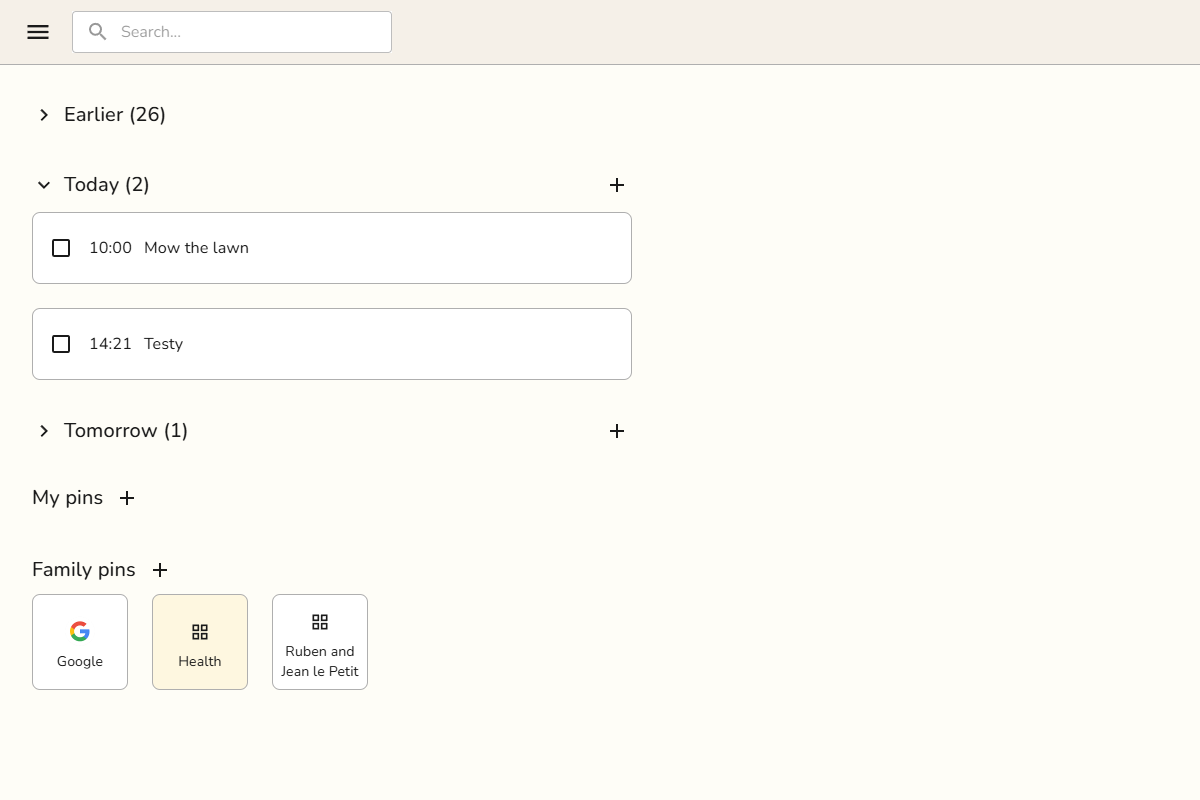
Earlier, on Home
Home used to show two days of overdue items. It now has one Earlier group holding everything still open from before today, however far back it goes. A to-do you never ticked off three months ago is still a to-do, so it stays there until you finish it or delete it.
Earlier starts collapsed the first time it appears, and your own expand or collapse sticks after that. Repeating series stay out of it, so a daily routine does not fill the list with every past day.
Tabbing! And more keyboard controls
Tab now moves through a dialog the way you would expect. From the title it lands in the description, and the details on the side come after the main column, matching where they sit on screen.
- Inside a description, Tab types four spaces, Shift-Tab outdents, and Escape steps back out.
- Dialogs that create something put the cursor in the first field for you. Dialogs showing an existing item leave it alone.
- The label picker keeps focus where it belongs when you tab into the list.
Fixes and improvements
- Opening an item and closing it again no longer asks about unsaved changes when you changed nothing. Descriptions ending in a list were the usual culprit.
- Saving a page by hand now warns you when someone else edited it while you had it open, the same way auto-save already did.
- Android notifications showed a timestamp roughly two thousand years old. They show the right time now.
- Leaving the calendar while it was still loading could throw an error. It does not anymore.
- Tasks on the calendar show their status in the corner, using the same words as the kanban columns. Finished to-dos get a checkmark.
- Search results that could not be opened are gone from the list, Ctrl-click opens a result in a new tab, and picking the page you are already on tells you so instead of doing nothing.
- On a phone, the details panel in task, appointment and to-do dialogs starts collapsed, so the title is the first thing you see.
- The description editor shows a placeholder while it loads, instead of an empty gap.
- Spell check follows the language you picked for the app.
- Long tab strips on the project page and in settings scroll inside the tabs, instead of stretching the page.
- Adding labels through a connected assistant is more forgiving about how the list is written, and it no longer creates a nonsense label from a malformed one.
- Plus visual and stability improvements throughout the app.